KHEPRA
KHEPRA A13 Portable Handheld Red Light Panel
KHEPRA A13 Portable Handheld Red Light Panel
Couldn't load pickup availability
Wellness in your hands
Make space for a quiet moment in your daily routine with the KHEPRA A13 Portable Handheld Red Light Panel. Its built-in rechargeable battery and elastic hand strap make it easy to hold without a charging cable attached during use. Choose your light mode, intensity and timer using the panel's display and controls.
Designed for general wellness and relaxation only. Not intended to diagnose, treat, cure or prevent any disease.
Choose the settings that suit your routine
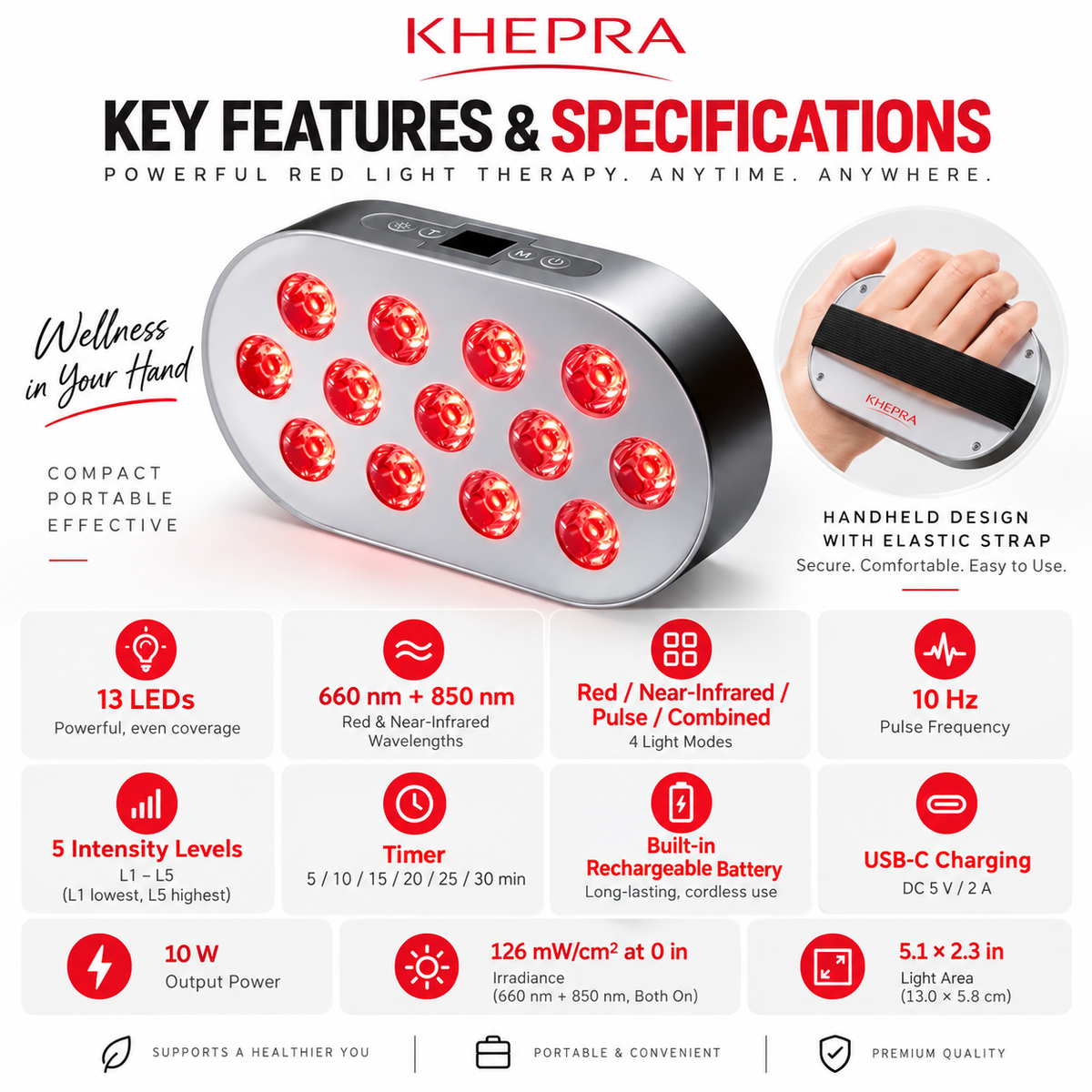
- 13 dual-chip LEDs with 660 nm red light and 850 nm near-infrared light.
- Four modes: R (660 nm red), IR (850 nm near-infrared), P (both wavelengths pulsed at 10 Hz), and RR (both wavelengths combined).
- Five intensity levels: L1–L5, from lowest to highest.
- Six timer settings: 5, 10, 15, 20, 25 or 30 minutes.
- Built-in rechargeable battery with USB-C charging.
- Handheld design with rear strap attachment points and an included storage case.
Specifications
- Model: A13
- LED type: 13 dual-chip LEDs
- Wavelengths: 660 nm + 850 nm
- Pulse frequency: 10 Hz
- Output power: 10 W
- Light area: 5.1 × 2.3 in (13.0 × 5.8 cm), not overall panel dimensions
- Charging input: DC 5 V / 2 A via USB-C
- Net weight: 1.76 lb (800 g)
- Manufacturer-listed irradiance: 126 mW/cm² at 0 in (0 cm), with both 660 nm and 850 nm on. This specification is not a recommended skin-contact distance.
What's in the box
- 1 × Red light panel
- 1 × USB-C charging cable
- 1 × Protective glasses
- 3 × Elastic hand straps
- 1 × Storage case
- 1 × User guide
Quick start
- Turn off the panel and charge it with the included USB-C cable using a 5 V DC, 2 A USB power source. Disconnect the cable after charging and before use.
- Attach an elastic hand strap to the rear attachment points, slide your hand underneath and hold the panel firmly. Wear the included protective glasses.
- Press and hold the Power button to turn the panel on or off.
- Press Mode (M) to select R, IR, P or RR. Check the display, timer and intensity before each use.
- Press Timer (T) to select 5–30 minutes in 5-minute increments. Press the Intensity button to cycle through L1–L5.
Safety and care
- Wear the included protective glasses. Do not stare into the LEDs or aim the light at anyone's eyes. Near-infrared light is invisible.
- Do not use pulse mode if you are sensitive to flashing light or have a history of photosensitive seizures.
- Consult a physician before use if you are sensitive to light, take medication that increases light sensitivity, are pregnant or have a health concern.
- Surfaces may become hot. Keep the light-emitting surface away from your skin. Do not cover the panel or use it while sleeping. Stop use if you feel excessive heat, irritation or other discomfort.
- Use indoors in dry conditions only. Do not immerse in water or handle charging equipment with wet hands. Use an undamaged cable and a 5 V DC, 2 A USB power source.
- Do not open, puncture, crush or burn the battery. Stop using and charging if you notice swelling, leakage or an unusual odor. Follow local battery and electronics recycling requirements.
- Before cleaning or storage, turn off the panel, disconnect the cable and allow it to cool. Wipe with a soft, dry cloth; do not use abrasive cleaners. Check the hand strap before every use and store in the case in a dry place.
Troubleshooting
Panel won't turn on? Charge using a 5 V DC, 2 A USB power source, disconnect the cable, then press and hold Power.
Unexpected light output? Near-infrared light is invisible. Check the display and use Mode (M) to change modes. Do not look into the LEDs to check whether they are on.
Charging issue or overheating? Turn off the panel and disconnect the cable if safe to do so. Let it cool and check the cable and power source. If the issue continues, stop using and charging the panel and contact support.
Read the included user guide and all safety warnings before use.
Share